Open HOST
Install the supplied Mac disk image, drag HOST to Applications and open it. The web tools are included.
MADE LOCALLY. BUILT FOR WHAT COMES NEXT.
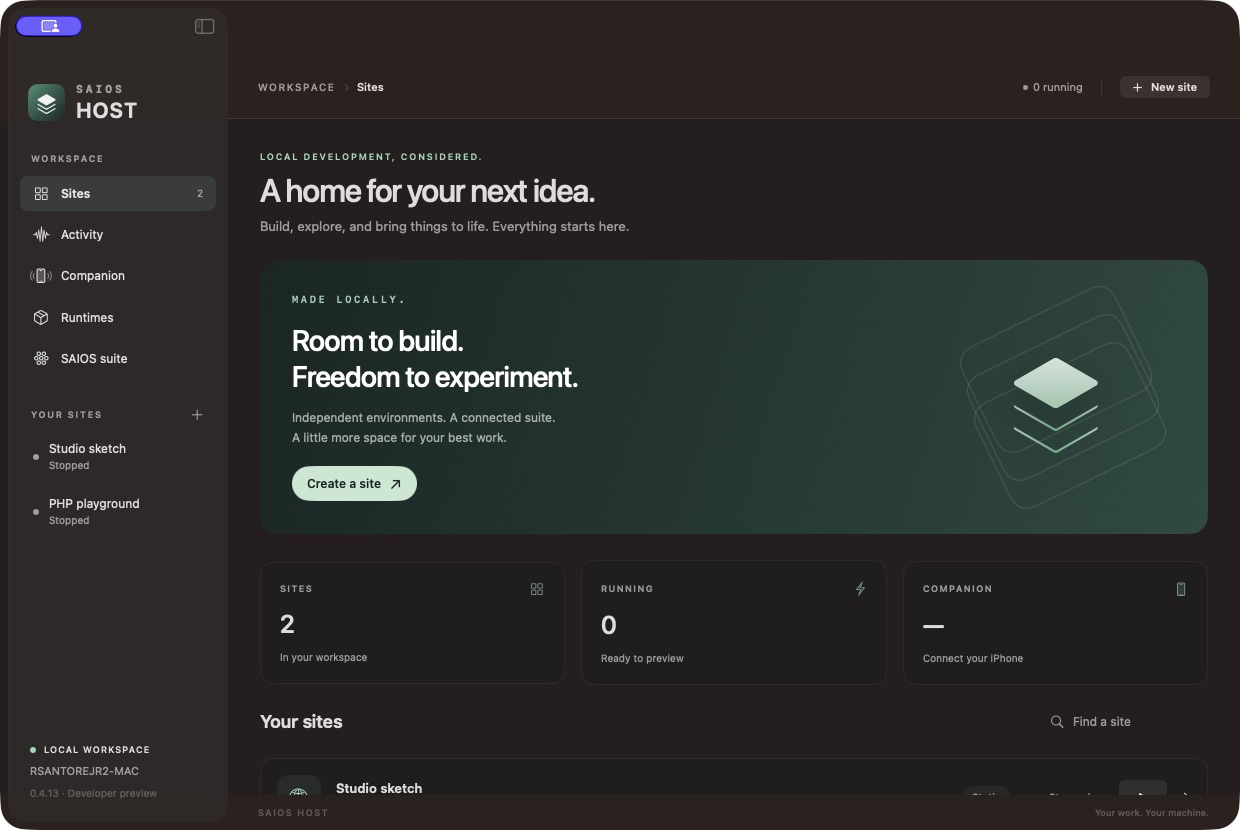
Build a website, try a PHP idea, or work on WordPress before changing the live site. HOST brings the local tools together in one native Mac app.
A SIMPLE START
Install the supplied Mac disk image, drag HOST to Applications and open it. The web tools are included.
Choose New site, name it and select an environment. Start with an included page or copy an existing folder.
Start the site, choose Open site and edit its files with your usual tools. Save a snapshot before a bigger change.
Basic local use requires no SAIOS account, AI subscription or Terminal commands. WordPress installation and website-defined external services need internet access. The private preview installer is supplied directly to trial participants; there is no public download here yet.
FEATURES WITH A PURPOSE
Keep an idea moving
Create Static or PHP sites, or prepare WordPress, without configuring a separate web stack for every experiment.
Read the stepsSpend less time assembling tools
PHP 8.4 and 8.5, MySQL 8.4, Nginx and WP-CLI ship with the Mac candidate. Basic setup needs no Homebrew, Xcode or MAMP.
Read the stepsKeep your working habits
Find a site's files, open them in your own editor and refresh your browser. Import copies leave the original folder in place.
Read the stepsTry a direction without editing the original
Duplicate a stopped Static/PHP site or a supported managed WordPress site. The new project starts local with its own identity and port, preserving the source.
Read the stepsStart from work you already trust
Save a Static/plain-PHP blueprint, then choose it from New site. Keep your preferred starting files and supported settings ready for another project.
Read the stepsAdjust one project without changing them all
Choose website-request memory and execution-time defaults for a stopped PHP or WordPress site. Keep Runtime default wherever an override is unnecessary.
Read the stepsTry changes away from your live site
HOST prepares a separate database and site credentials. Finish the WordPress administrator setup in your browser and work locally.
Read the stepsChoose when a site is reachable
New sites start stopped and available only on your Mac. Choose local-network sharing separately for each site.
Read the stepsMake room for experiments
Take file snapshots for Static/PHP sites. WordPress site snapshots coordinate files and its database; recovery records protect interrupted work.
Read the stepsDevelop workflows that need HTTPS
Review a site's address, enable the optional signing service and let certificates renew automatically. Browser trust is a separate choice.
Read the stepsPreserve trust deliberately
Save an encrypted recovery file with a separate passphrase. Review a file before restoring the matching identity inside HOST.
Read the stepsSee your work on another screen
The developing iPhone/iPad app shows site status and activity, and previews shared websites. Native HTTPS preview needs no certificate profile.
Read the stepsDecide what a device can do
Pairing uses a fresh one-use link. Start/stop from a companion needs its own Mac permission; device access can be revoked there.
Read the stepsMove between focused tools
A compatible SQL build opens a local database connection form for review. Choose credentials, test and save in SQL; the project reference contains no password.
Read the stepsStart terminal work in the right place
Send a site's folder to the separate SAIOS PORT app, review it there, then choose Open Local Terminal. The handoff supplies no command or remote connection.
Read the stepsUnderstand what is running
Site overview, activity, runtime status and logs stay close to the work. Choose light, dark or system appearance.
Read the stepsKEEP A WAY BACK
Site files, WordPress databases and the optional HTTPS signing identity are different things. HOST gives each its own recovery workflow and explains what a backup includes.
Keep an independent copy outside this Mac too. A snapshot in the same workspace helps undo a change; it does not replace a complete backup of the machine.
Understand snapshots and recovery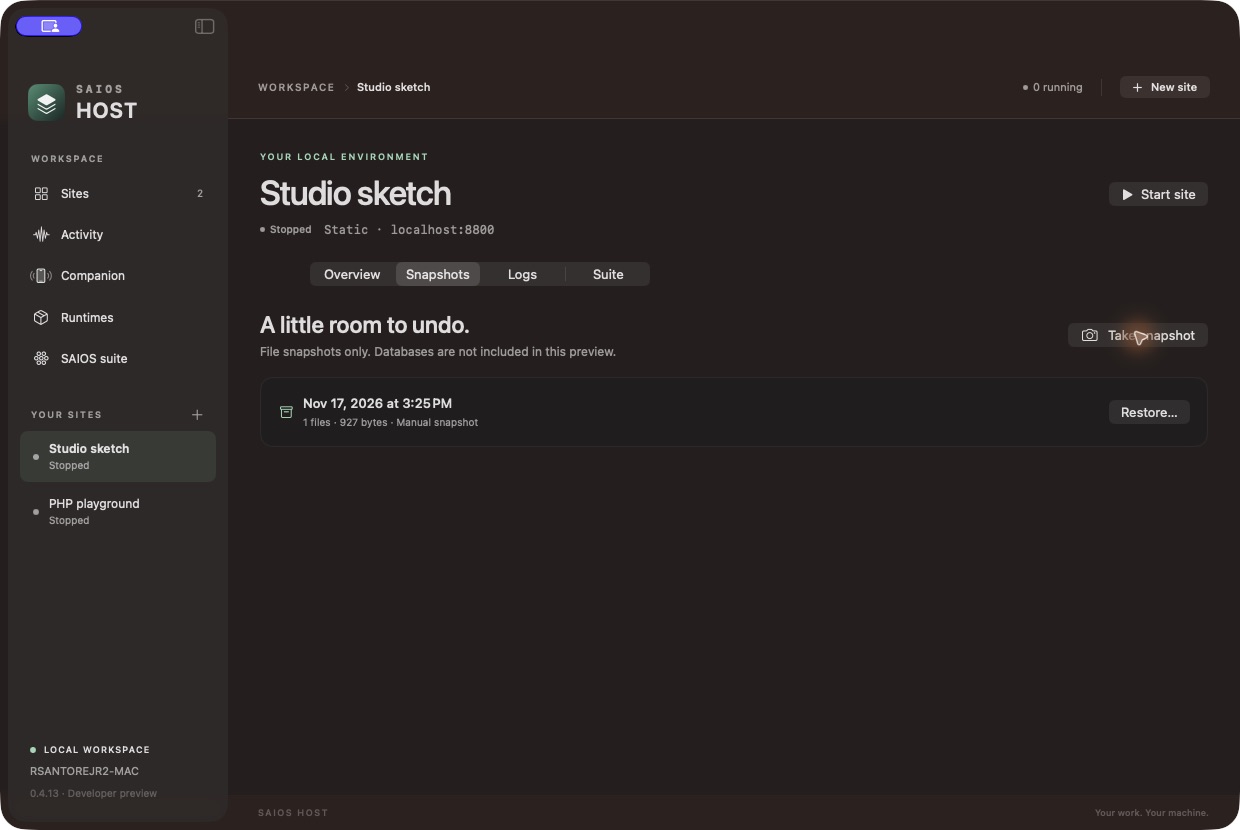
A DIFFERENT POINT OF VIEW
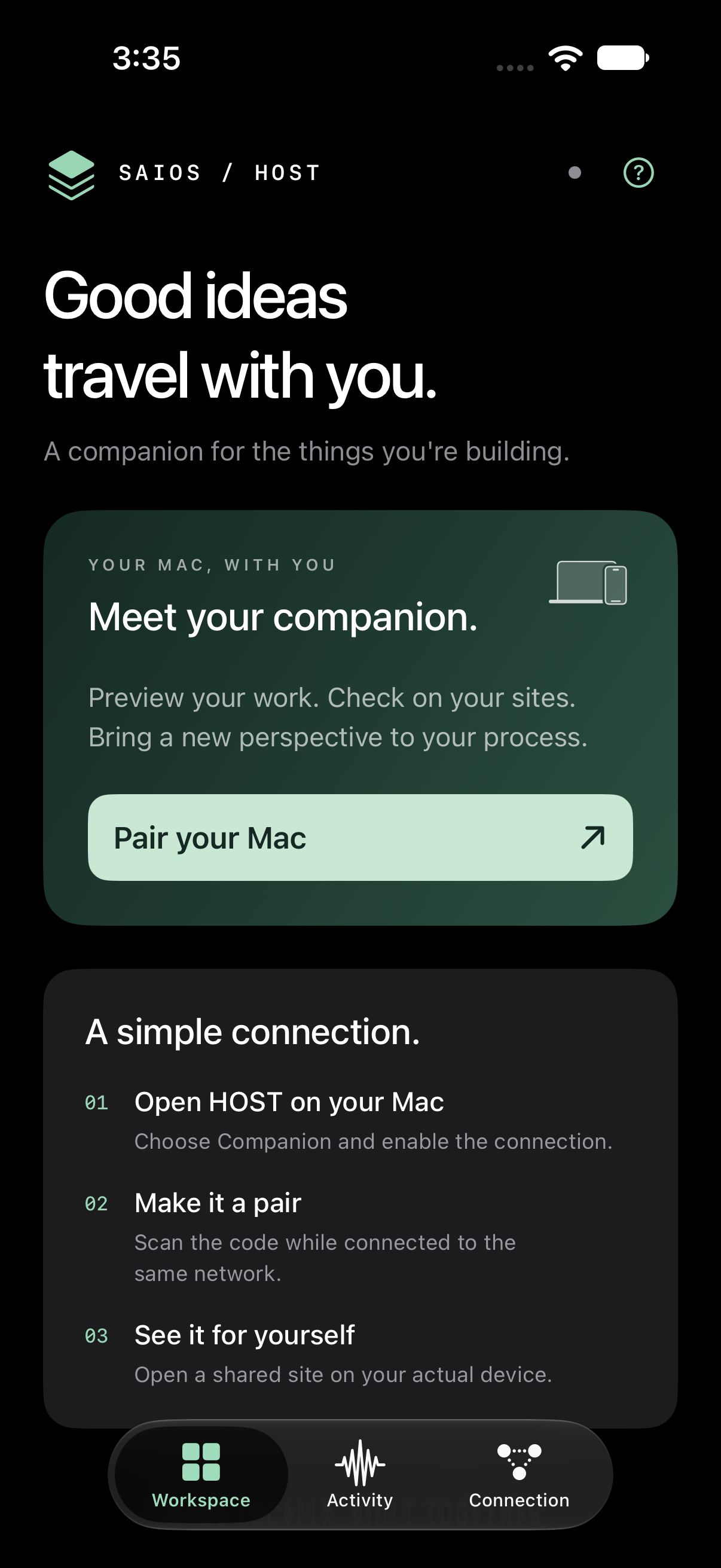
The companion brings your site list, status and recent activity to iPhone and iPad on the same local network. Preview a shared site, navigate it, and return to the workspace.
Pair through a code from your own Mac, then choose Connect. Device access and remote start/stop are separate decisions. A paired device sees the site catalogue, including unshared sites; website sharing controls preview availability.
Native HTTPS previews verify the chosen site's certificate inside the app. No device certificate profile is needed. External browser links use that browser's own trust settings.
Meet the companionINDEPENDENT TOOLS. A CONNECTED DIRECTION.
Your files and development environment stay in your Mac workspace. Local use does not depend on a shared account.
Compatible HOST-to-SQL handoff is built. SQL reviews its connection and owns query execution.
Explore SAIOS SQLCompatible PORT builds review a project folder from HOST before you choose Open Local Terminal. PORT is an optional terminal app; HOST still runs the website.
Open your folder in PORTOptional HOST sign-in through id.saios.me confirms your SAIOS identity and HOST access; each app keeps separate permissions. Local sites work without signing in. CONNECT transfers, LOOP enrollment and universal AI-provider connections remain future work.
THE CURRENT PRIVATE PREVIEW
The Mac preview is Developer ID signed and Apple notarized for a small private trial. The companion remains in simulator development, with TestFlight work parked.
The candidate includes Nginx; Apache is not bundled. WordPress duplication is limited to the documented managed single-site shape; WordPress blueprints are unavailable. There is no Intel runtime package, automatic runtime updater, one-click production deployment or complete MAMP PRO parity claim.
Screenshots show real app views with sample projects. Instructions cover HOST 0.4.21, optional PORT 0.1.9 and companion 0.4.17. Earlier illustrations and temporary review windows retain their captured version labels; the apps have separate release processes.